
How it works
One engine lists products and brings orders back. Your shop or supplier file is the source; every marketplace is an app on the same engine.
- 14 days free
- No developer needed
- Stop any time
 OutBetter
Live in four steps, inside one session
The dashboard walks you through them in order. Most merchants finish before the coffee is cold.
-
Connect
Install the app, paste the seller credentials the marketplace gave you. One seller account per marketplace, shared by every source you sell from.
-
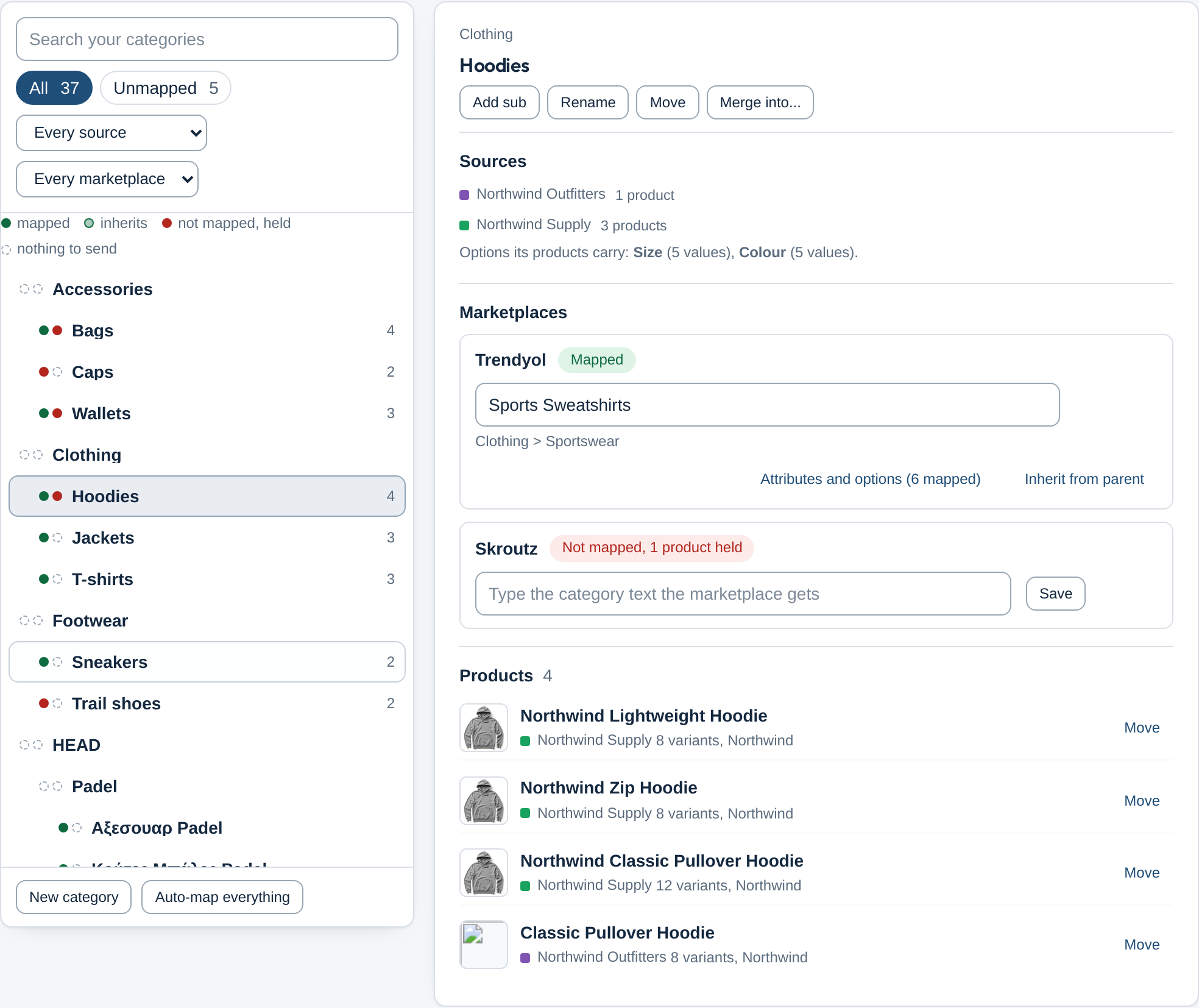
Map once
Your categories build a tree; each one is mapped to the marketplace once and subcategories inherit it. Sizes, colours and brands are matched by name; you confirm what is unclear.
-
Get accepted
Every held or refused product tells you why in plain words, with the marketplace's own answer folded underneath and the fix one click away.
-
Orders back
A marketplace order lands in your shop as soon as the marketplace reports it. Confirm, mark ready, send the invoice; tracking and vouchers are written onto the shop order.
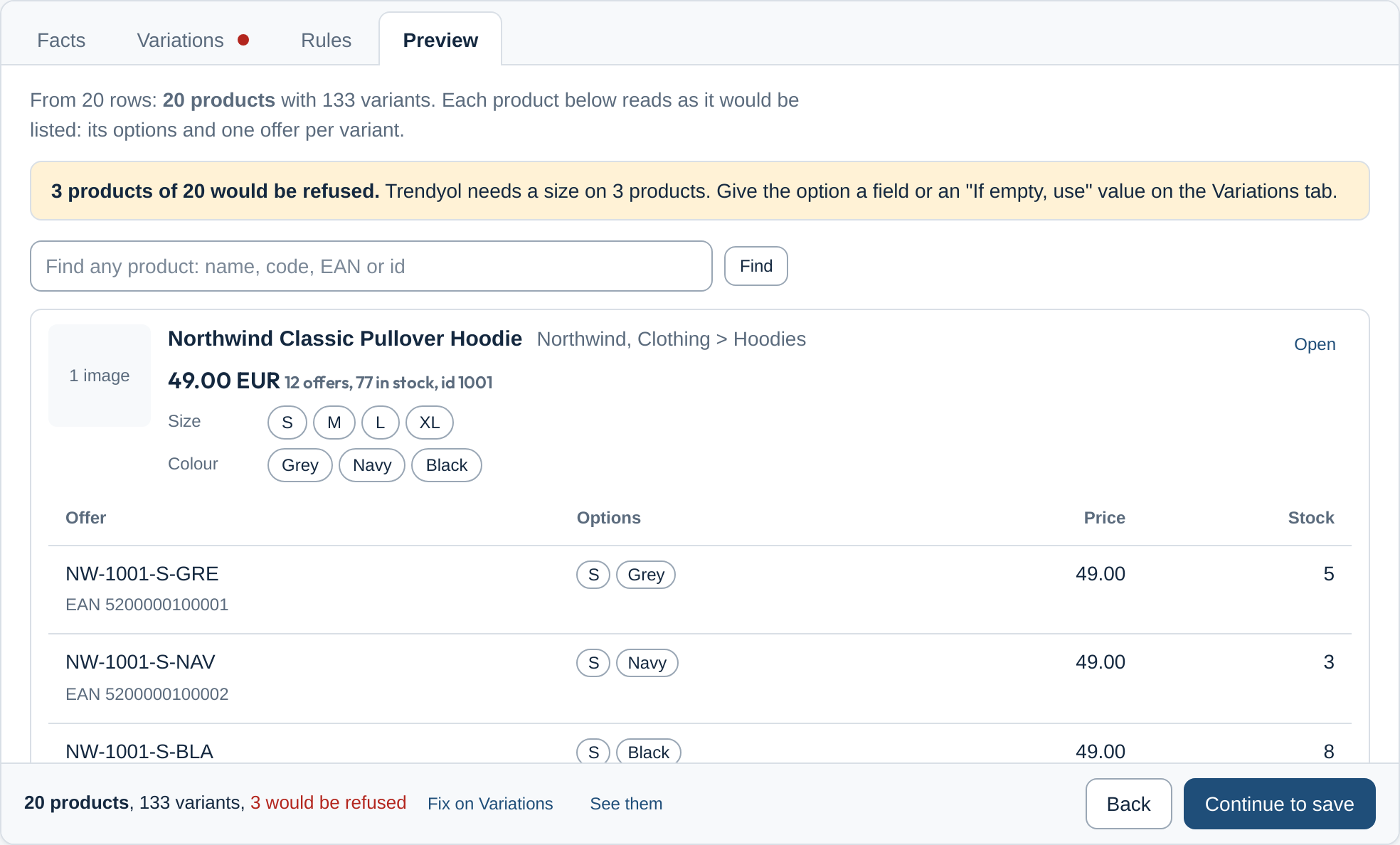
A supplier file, previewed before it is saved
The mapping designer builds every fact from the file's fields, shows real examples, and previews each product as the listing it will become, offers and options included.
The rules the product keeps
- Auto first, confirm second
- Detect, propose, and let you confirm with one click; never make you type what the file or the shop can tell us.
- Say what happens next
- Every held product, failed step and rule names the reason and the way out in your words.
- Native to the host
- Inside WooCommerce it looks like WordPress, inside Shopify like Polaris; the engine is ours, the surface belongs to the host.
- One vocabulary everywhere
- Order steps, statuses and mapping words are the same for every marketplace and every source.
- Keep everything, show what matters
- No field of a supplier file is lost; the default view shows only what you need to act.
Try the whole product free for 14 days
Free for 14 days. Full product, every marketplace. Stop whenever you like.
14 days, every feature
Listings, mapping, order steps and invoices are all open during the trial. Nothing is held back for a higher plan.
Live in one session
Install, connect your seller account, confirm the category mapping, and your first products are on their way the same afternoon.
Stop whenever you like
Remove the app or close the account from the dashboard. Your products and orders stay in your shop; our copy of your credentials is forgotten.
Before you start
What do I need to begin?
A Shopify or WooCommerce shop, or a supplier file, and the seller account the marketplace gave you. Installing the app and connecting the seller account takes a few minutes; no developer is needed.
What happens after the 14 days?
The trial runs the full product. Near the end you choose a plan and keep going, or stop and pay nothing. Shopify merchants are billed through Shopify, as the App Store requires.
Will it change anything in my shop?
It reads products, stock and prices and writes marketplace orders into your shop. It never edits your product pages, prices or stock on its own.
Which marketplaces and platforms are covered?
Trendyol and Skroutz for Shopify, WooCommerce and supplier files today. Shopflix and eMAG follow, then OpenCart, PrestaShop and Joomla, on the same engine.
What if the marketplace refuses a product?
The product is held, not lost. The dashboard shows the cause in your words, for example which attribute is missing, and the fix is one click away.